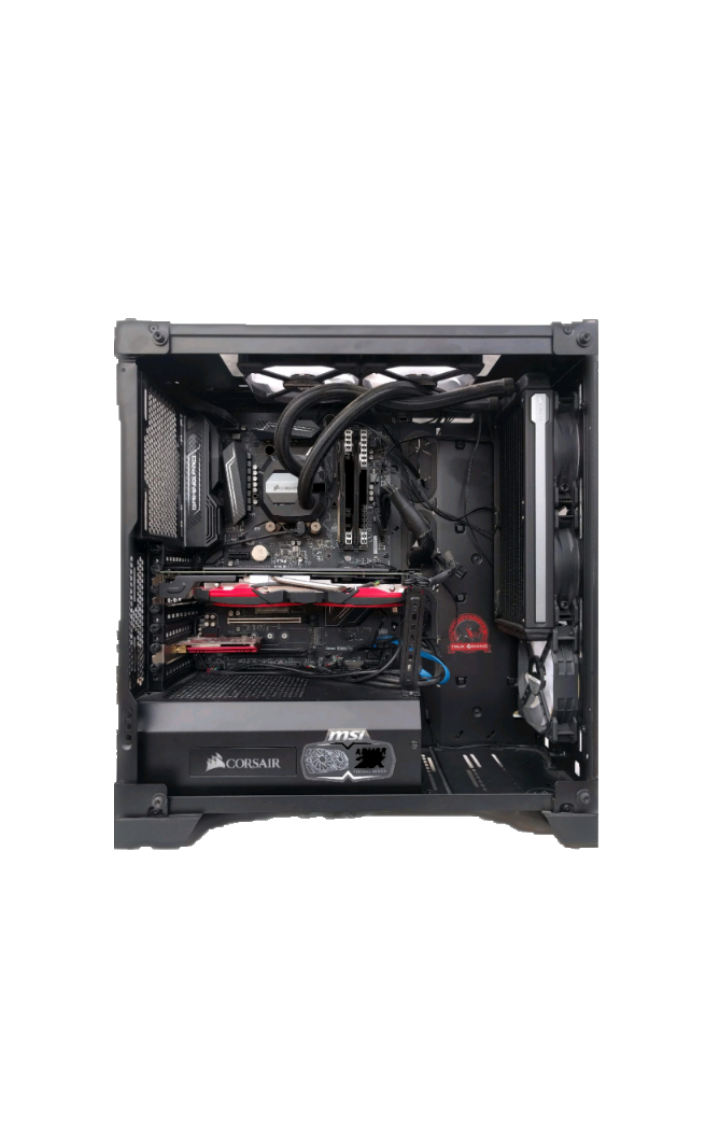
The history of computer cases is an interesting journey that has seen significant changes and developments from their humble beginnings to the modern era.
Let's take a look at the evolution of
computer cases
through the years:
Early Days (1940s-1950s)
Early computers were large, room-filling machines housed in cabinets or racks, without proper "cases" as we understand them today.
Mainframe Era (1960s-1970s)
Mainframes were large and used enclosures or cabinets, operated by specialists in controlled environments.
Microcomputers and Home Computers (1970s-1980s)
Early microcomputers like the Altair 8800 had simple metal boxes, and the Apple II was one of the first with a more recognizable case design.
The ATX Form Factor (1990s)
Intel's ATX form factor set standards for modern computer cases, including motherboard layout, power supply, and I/O panel, leading to better standardization and cooling options.
Desktop and Tower Cases (1990s-2000s)
Desktop cases were compact and horizontally oriented, while tower cases were vertically oriented and provided better airflow.
Customization and Gaming Cases (2000s-2010s)
Case manufacturers introduced designs catering to gamers, with features like transparent side panels, LED lighting, and custom cooling solutions.
Mini-ITX and Small Form Factor (SFF) Cases (2010s-2020s)
The popularity of smaller and powerful components led to the rise of Mini-ITX and SFF cases, ideal for limited space and portable setups.
Tempered Glass and RGB Lighting (2010s-2020s)
Tempered glass side panels and RGB lighting became popular, showcasing internal components and allowing customization of lighting effects.
Emphasis on Cooling and Cable Management (2020s)
Modern cases focus on improving airflow and cable management, with better fan mounts, radiator support, and smart cable routing solutions.
Overall, the computer case has evolved from basic enclosures to a key component of personal expression for enthusiasts. It is no longer just a box to hold components; it reflects the user's style and preferences while ensuring optimal performance and functionality for the modern computing era.
The most important features of a modern computer case can significantly impact the overall performance, aesthetics, and user experience of a PC build.
Here are some key features that are commonly sought after in modern computer cases:
Overall, the best modern computer cases strike a balance between functionality, aesthetics, and ease of use, allowing users to build powerful and visually appealing systems while ensuring efficient cooling and organization.
There are several types of computer cases available in the market, each designed to suit different needs and preferences. Here are some common types of computer cases and their advantages:
1. Full-Tower Case
Ample internal space: Full-tower cases offer plenty of room to accommodate multiple graphics cards, large CPU coolers, and multiple storage drives. Excellent airflow: The larger size allows for better cooling options, such as more fan mounts and radiator support, leading to improved thermal performance. Easier cable management: The extra space makes it easier to manage and route cables neatly.
2. Mid-Tower Case
Balanced size: Mid-tower cases strike a good balance between space and manageability, making them the most popular form factor for general users and gamers. Sufficient internal space: They can still accommodate high-end components while being more compact than full-tower cases, making them suitable for most setups. Portability: Mid-tower cases are easier to transport compared to full-tower cases.
3. Mini-ITX Case
Compact size: Mini-ITX cases are the smallest form factor, making them ideal for space-constrained environments or for building portable systems. Energy-efficient: Smaller components typically draw less power, resulting in more energy-efficient builds. Aesthetically pleasing: Many Mini-ITX cases feature stylish and unique designs, making them popular among enthusiasts interested in visually appealing setups.
4. Micro-ATX Case
Smaller than ATX but larger than Mini-ITX: Micro-ATX cases offer a middle ground between compactness and component compatibility. Multi-GPU support: Many Micro-ATX cases can still accommodate multiple graphics cards, providing an upgrade path for gaming enthusiasts. Suitable for most users: Micro-ATX cases are versatile and suitable for a wide range of builds, from budget-oriented to mid-range gaming setups.
5. HTPC (Home Theater PC) Case
Blend into entertainment centers: HTPC cases are designed to resemble traditional audio/video components, making them suitable for living room setups. Quiet operation: HTPC cases often prioritize noise reduction and have features to minimize operating noise. Accommodate A/V equipment: HTPC cases may have space to fit other A/V components, like DVD/Blu-ray drives or audio amplifiers.
6. Open-Air Case
Enhanced cooling: Open-air cases allow unrestricted airflow around components, leading to improved thermal performance. Easy access for testing and modding: Components are easily accessible, making testing, swapping, or modifying hardware more convenient. Showcase components: Open-air cases are perfect for enthusiasts who want to showcase their high-end components and custom cooling setups.
7. Cube Case or Cube-Style Case
Space-efficient design: Cube cases typically have a cube-like shape, making them space-efficient and easy to fit on a desk or in tight spaces. Good airflow: Cube cases often have well-designed airflow paths to ensure efficient cooling. Unique aesthetics: The cube design sets them apart from traditional tower cases, appealing to users looking for a distinctive look.
Each type of computer case has its own set of advantages, and the choice depends on individual preferences, use case scenarios, and the specific hardware configuration one plans to build. Whether it's for gaming, content creation, or office use, there's a computer case to suit every need.
Certainly! In addition to the types of computer cases mentioned earlier, here are a few more specialized types of computer cases:
1. Rackmount Case
Designed for server and data center environments: Rackmount cases are designed to be mounted on server racks, providing efficient space utilization in data centers. Hot-swappable components: Some rackmount cases allow for hot-swapping of hard drives and other components, enabling easy maintenance without powering down the entire system. Improved cable management: Rackmount cases often have cable management features to maintain a clean and organized setup.
2. Test Bench Case
Open-air design: Test bench cases have an open structure for easy access to components and testing various hardware configurations. Ideal for enthusiasts and overclockers: Enthusiasts and overclockers often use test bench cases for quick and easy hardware testing and modifications. Efficient cooling: The open-air design allows for excellent cooling and observation of temperature changes during stress tests.
3. Vertical GPU Mount Case
Showcase GPU: Vertical GPU mount cases position the graphics card vertically, allowing users to showcase high-end graphics cards and RGB lighting. Improved airflow for GPU: Vertical mounting can offer better cooling for the GPU as it can breathe in fresh air more efficiently. Aesthetically pleasing: The vertical orientation creates a visually stunning display inside the case.
4. SFF (Small Form Factor) Case
Compact and portable: SFF cases are highly compact, making them perfect for building a powerful system in a small space or for portable gaming rigs. Unique designs: Many SFF cases feature innovative and unique designs that cater to users seeking a distinctive look. High-performance potential: Despite their small size, SFF cases can often accommodate powerful hardware configurations.
5. PSU Shroud Case
Aesthetically pleasing: PSU shroud cases hide the power supply and cables from view, creating a cleaner and more visually appealing interior. Improved airflow: By separating the power supply from the main components, PSU shrouds allow for better airflow inside the case. Cable management: PSU shrouds contribute to better cable management by providing a designated space to tuck away excess cables.
6. DIY Cardboard Case
Low-cost and eco-friendly: DIY cardboard cases are a budget-friendly and environmentally conscious option for building a temporary or experimental system. Customizable: Users can easily cut and modify cardboard to fit their specific hardware requirements and airflow needs. Fun and creative: Building a cardboard case can be a fun and creative project, especially for those interested in crafting and DIY activities.
These specialized types of computer cases cater to specific use cases and user preferences. Whether it's for data centers, testing purposes, showcasing high-end components, or building compact and portable systems, there is a computer case available to meet the diverse needs of PC builders and enthusiasts.
Certainly! Here are a few more types of computer cases:
1. Inverted Case
Unique design: Inverted cases position the motherboard upside-down, with the I/O ports at the bottom. This creates a visually distinctive and unconventional layout. Improved GPU cooling: Inverted cases often have the graphics card mounted vertically, allowing for improved GPU cooling with direct access to fresh air. Easier access to I/O ports: Placing the I/O ports at the bottom can be more convenient for some setups, especially when the case is located on the floor.
2. Home Server/NAS Case
Multiple drive bays: These cases offer numerous drive bays to accommodate multiple storage drives, making them suitable for home servers and network-attached storage (NAS) setups. Quiet operation: Home server/NAS cases are designed for quiet and efficient operation to run 24/7 without being intrusive. RAID support: Some cases come with built-in RAID support to enhance data redundancy and storage performance.
3. Transparent/Showcase Case
Display components: Transparent or showcase cases are designed with tempered glass panels to allow users to display their components and custom cooling setups for a stunning visual effect. Aesthetics and RGB lighting: These cases are often favored by users who want to showcase their RGB lighting configurations for a captivating and immersive look. Enthusiast appeal: Transparent cases cater to enthusiasts who take pride in their builds and enjoy sharing their creations with others.
4. Dustproof and Waterproof Case
Enhanced protection: These specialized cases are designed to protect components from dust, dirt, and moisture, making them suitable for harsh environments or industrial settings. Improved reliability: Dustproof and waterproof cases can help extend the lifespan of components by preventing damage caused by dust and liquid intrusion. Ideal for specialized applications: Such cases are commonly used in outdoor installations, factories, marine environments, and other challenging conditions.
5. Silent/Noise-Dampening Case
Noise reduction: Silent cases are engineered with sound-dampening materials and optimized airflow to minimize operating noise, providing a quieter computing experience. Perfect for quiet environments: These cases are well-suited for office setups, media centers, or any place where noise reduction is essential. Balanced performance: Silent cases maintain a good balance between thermal performance and noise reduction, ensuring components stay cool while operating quietly.
6. DIY Custom Mod Case
Full creative control: DIY custom mod cases involve creating a unique case design from scratch or modifying an existing one to match individual tastes and requirements. Showcasing creativity: Building a DIY custom mod case allows enthusiasts to showcase their creativity and craftsmanship by making something truly one-of-a-kind. Learning experience: This type of case building provides an opportunity to learn more about fabrication, design principles, and various materials used in case construction.
Each type of computer case caters to specific needs, design preferences, and functional requirements. As PC building continues to evolve, new types of cases may emerge, offering even more exciting possibilities for enthusiasts and users looking to build their dream systems.
Wall-mounted computer cases (computers mounted directly on a wall) are a unique and innovative type of computer case that, as the name suggests, are designed to be mounted directly on a wall. These cases offer a visually striking and space-saving solution for PC enthusiasts who want to showcase their builds in a distinctive way. Here are the advantages of wall-mounted cases:
Advantages:
Aesthetically pleasing: Wall-mounted cases create an eye-catching display, turning the PC into a functional piece of art on the wall. They serve as a conversation starter and can become a focal point in a room.
Space-saving: Mounting the case on the wall frees up floor space, making it ideal for smaller living spaces or environments where floor or desk space is limited.
Improved airflow: Wall-mounted cases allow for better airflow around the components since there are no obstructions on the sides or bottom. This can lead to improved cooling and potentially better performance.
Easy access and maintenance: With components exposed and easily accessible, wall-mounted cases make hardware upgrades, cleaning, and maintenance more convenient.
Showcase custom components: Wall-mounted cases are perfect for displaying custom cooling solutions, RGB lighting configurations, and high-end components in a visually appealing manner.
Cable management: Wall-mounted cases often come with cable management solutions to keep the interior clean and organized, adding to the overall aesthetics.
Unique design options: Wall-mounted cases come in various designs, materials, and styles, catering to different tastes and interior design preferences.
Customization: Users can add creative touches, such as LED lighting strips, decorative elements, or even artwork, to further enhance the visual impact of the wall-mounted setup.
It's important to consider a few factors before opting for a wall-mounted case. First, ensure that the wall can handle the weight of the case and its components. Reinforcing the wall or using appropriate mounting hardware may be necessary. Secondly, wall-mounted cases are not as easily portable as traditional cases, so it's essential to select a permanent location for the setup. Overall, wall-mounted cases offer a distinctive and aesthetically pleasing option for PC enthusiasts who want to go beyond traditional tower or desktop setups and turn their computer into a functional work of art.
[Free Research Preview. ChatGPT ChatGPT August 3 Version 2023]